AirTag for dogs: does it work on a dog collar? (UK)
Updated 22 October 2026 · 5 min read
Lots of owners clip an Apple AirTag to their dog's or cat's collar. It can help you find a pet that has wandered off, but it wasn't made for pets, and on its own it doesn't help a stranger who finds your pet get in touch. Here's how it works, where it falls short, and what to pair it with.
How an AirTag finds things
An AirTag has no GPS and no SIM card. It gives out a Bluetooth signal, and iPhones, iPads and Macs that pass nearby quietly report where it is, so you can see it on a map in the Find My app.
In a busy town that can mean frequent updates. In the countryside, or late at night when fewer people are about, the location can be hours old, because no Apple device has been close enough to pick up the signal.
When you're close, a recent iPhone can point you towards it, and you can make it play a sound. That helps if your cat is hiding in a shed or under a hedge. Apple says the second-generation AirTag, out in 2026, has a speaker 50% louder than the original and up to 1.5 times the Precision Finding range.
Where it falls short for pets
- Apple says it designed AirTag to help people find their personal belongings, and its own examples are things like keys and bags, not pets.
- You need an iPhone or iPad to set it up and see where it is. It doesn't work with Android phones.
- It only updates when an Apple device passes by, so it can't follow your pet live the way a GPS tracker can.
- To stop people being tracked in secret, an AirTag that's away from its owner and moving with someone else can alert them, on an iPhone or on an Android phone (Android 6.0 or later), or by playing a sound. That can happen when a dog walker or pet sitter has your pet, or when someone finds your pet and takes them home.
- It's 31.9 mm across and weighs 11 g (the original) or 11.8 g (the second generation) before you add a holder. That's a lot on a small cat's collar: see AirTags for cats.
- It doesn't tell a finder who you are, unless they know to tap it with their phone (see Lost Mode below).
Fitting an AirTag to a dog collar
An AirTag has no loop of its own, so it needs a holder. Most are either a sleeve that threads onto the collar, so the AirTag sits flat against it, or a case with a ring that hangs from the D-ring like an ordinary tag.
A flat sleeve doesn't swing or jingle and is harder to knock off in undergrowth; a hanging case is easier to swap between collars. Either way, check the case closes fully and the collar still fits: you should be able to slide two fingers under it (see how tight a dog collar should be). Keep your dog's ID tag on as well, because the AirTag doesn't show your name and address, which a dog must wear in public.
Lost Mode: how a finder can reach you
If your pet goes missing, you can mark the AirTag as lost in the Find My app and add your phone number or email address. Anyone who holds a phone with NFC against the AirTag, iPhone or Android, then sees your message and contact details.
The catch is that the finder has to know to do that, and nothing on the AirTag itself says it can be tapped. A tag with a phone number or a QR code shows what to do at a glance, and a vet, rescue or council can scan for a microchip.
AirTag or GPS tracker?
If you need to see where your pet is right now, for example a dog that slips its lead on long walks, a GPS pet tracker with its own SIM card updates live anywhere with mobile signal. It needs regular charging and usually a subscription (see what smart pet tags cost).
An AirTag has no subscription, and Apple says it runs for more than a year on a standard coin battery (a CR2032) that you replace yourself, but it only updates when an Apple device passes by.
What to pair it with
- A microchip with up-to-date details. It's the law for dogs, and for cats in England.
- For dogs, your name and address on the collar or on a tag. That's the law in public places, and an AirTag doesn't count.
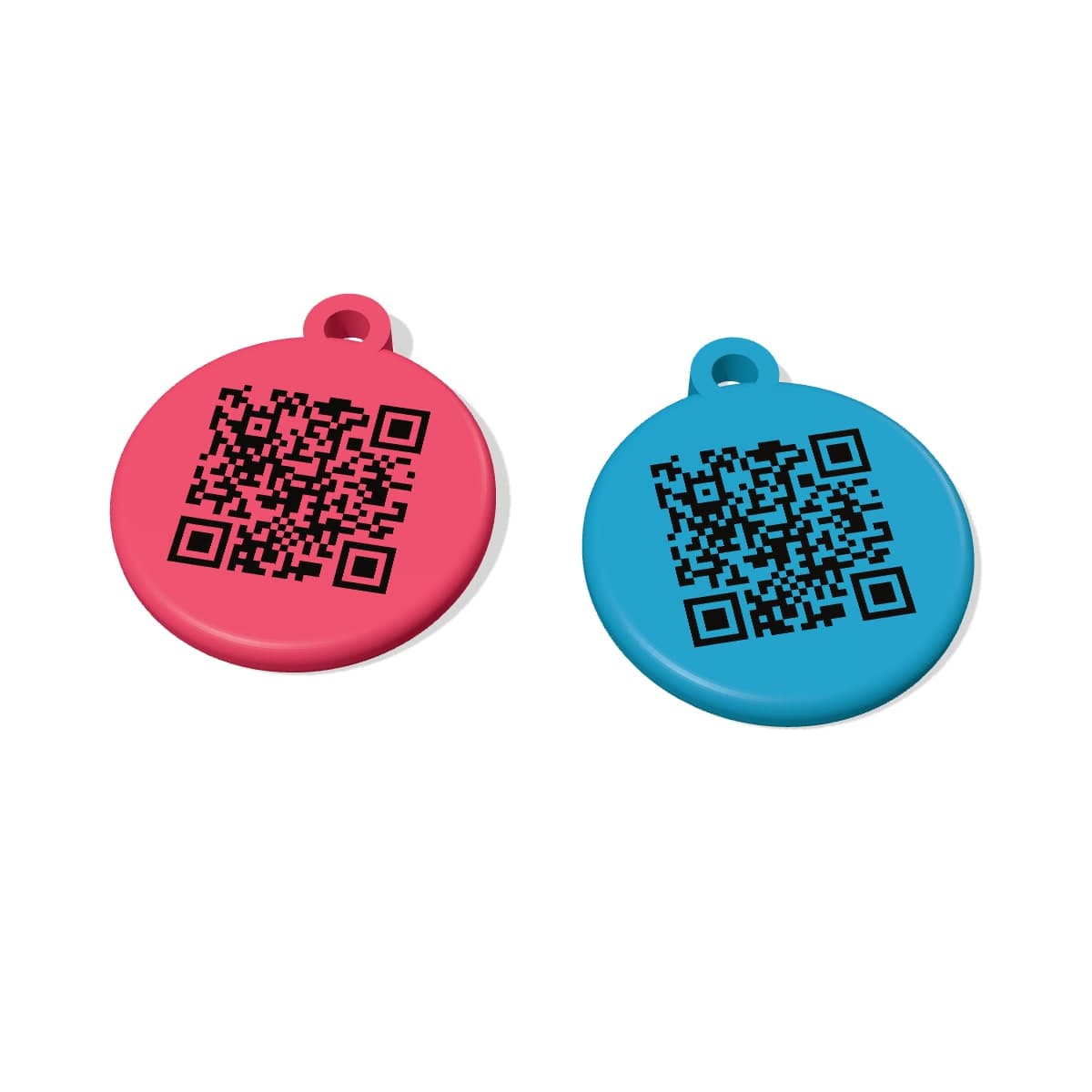
- A tag a finder can use straight away. A QR tag opens your pet's profile with any phone camera, so they can call or message you with no app and no scanner. Ours, a smart pet tag with no battery or subscription, is £10.
- For cats, a quick-release collar that pops open if it catches on something. Cats Protection advises against elastic collars.
About this guide
We make QR pet tags, not trackers, so we've stuck to what Apple and Cats Protection say about how AirTags and collars work. AirTag is a trademark of Apple Inc., and PetTag isn't connected with Apple.
Quick answers
Can you put an AirTag on a dog?+
Yes, in a collar holder, and it can help you find your dog if they run off. But it only updates when an Apple device passes nearby, and it isn't an ID tag: your dog still needs your name and address on its collar in public.
Is an AirTag safe for cats?+
It adds bulk and weight to a collar, which small cats in particular may not like. Anything your cat wears should be on a quick-release collar that pops open if it gets caught, and Cats Protection recommends a microchip as the main way to identify a cat.
Does an AirTag work without an iPhone nearby?+
No. It has no GPS of its own, so it only reports where it is when an iPhone, iPad or Mac passes within Bluetooth range.
Can someone with an Android phone contact me through my pet's AirTag?+
Yes, if you've put the AirTag in Lost Mode and added your number: they can hold an NFC-enabled Android phone against it to see your message. A QR tag is easier for finders, because almost any phone camera can scan one.
Sources (8)
- AirTag tech specs (Apple Support)
- Mark an AirTag as lost in Find My (Apple Support)
- If you get an alert that an AirTag is with you (Apple Support)
- An update on AirTag and unwanted tracking (Apple)
- Choosing a cat collar (Cats Protection)
- AirTag (2nd generation) tech specs (Apple Support)
- AirTag (Apple UK)
- The Control of Dogs Order 1992 (legislation.gov.uk)
This guide is general information, not legal or veterinary advice. How we write our guides